Run your MSP on software you own.
ITFlow is free, open-source client documentation, ticketing, billing and accounting for managed service providers. Host it yourself, or let us host it for you.
Or let us run it: hosted ITFlow from $60 a month, 2 technicians included.

- Free and open source
- Your server or ours
- No per-technician fees to self-host
- Built by people who run MSPs
From the inbox to the bank
Follow one ticket through ITFlow. Every step happens in the same place, so nothing gets typed twice.
-
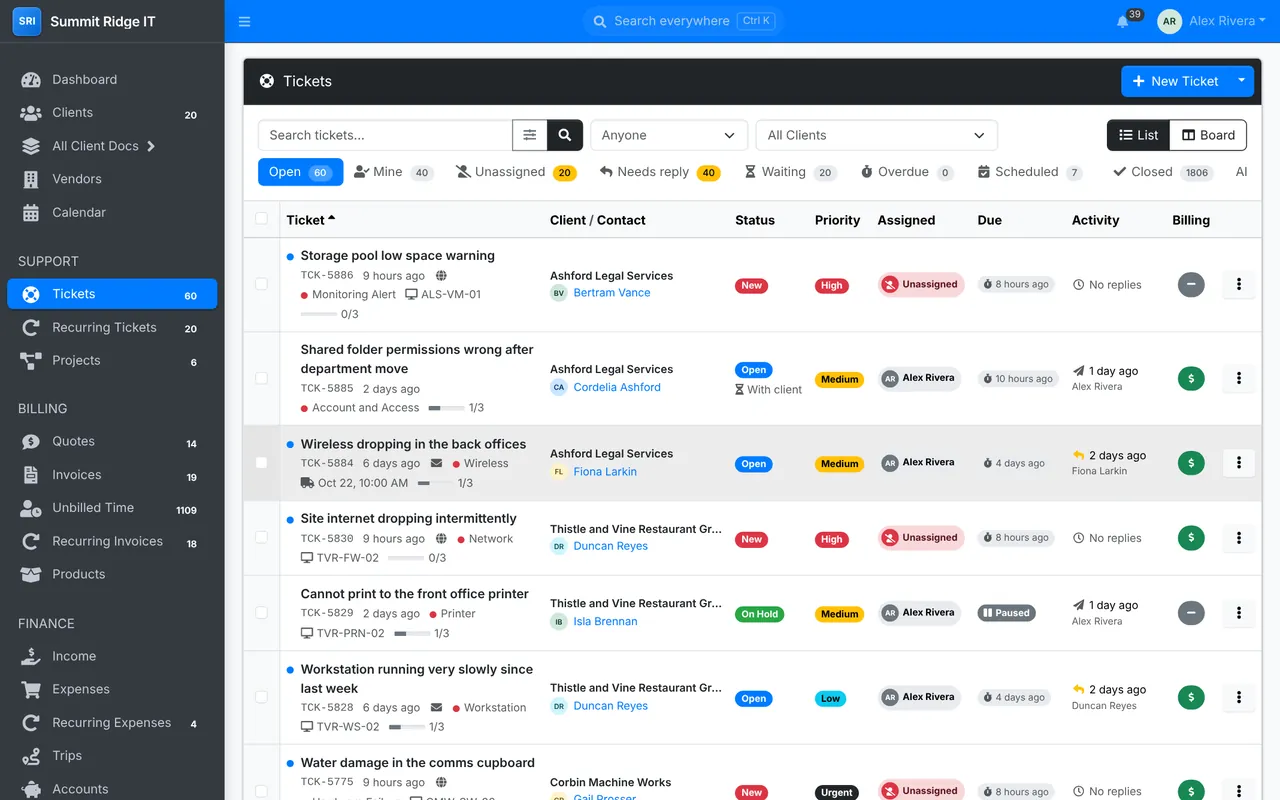
Mail to your support address turns into tickets, matched to the client and the contact who sent it. Work them as a list or a board, with SLA timers, priorities and who has what.
-
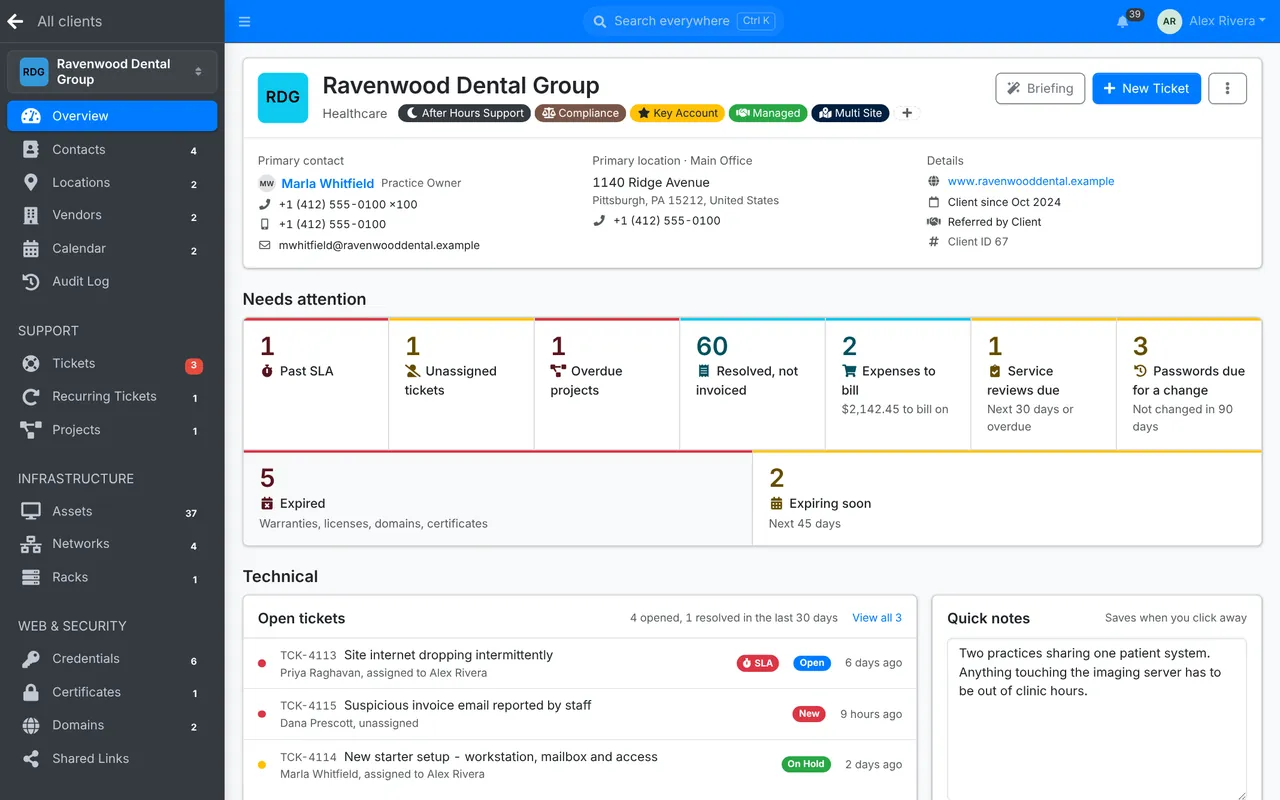
Contacts, sites, assets, networks, passwords, licenses and documents sit under the client, with what needs attention at the top.
-
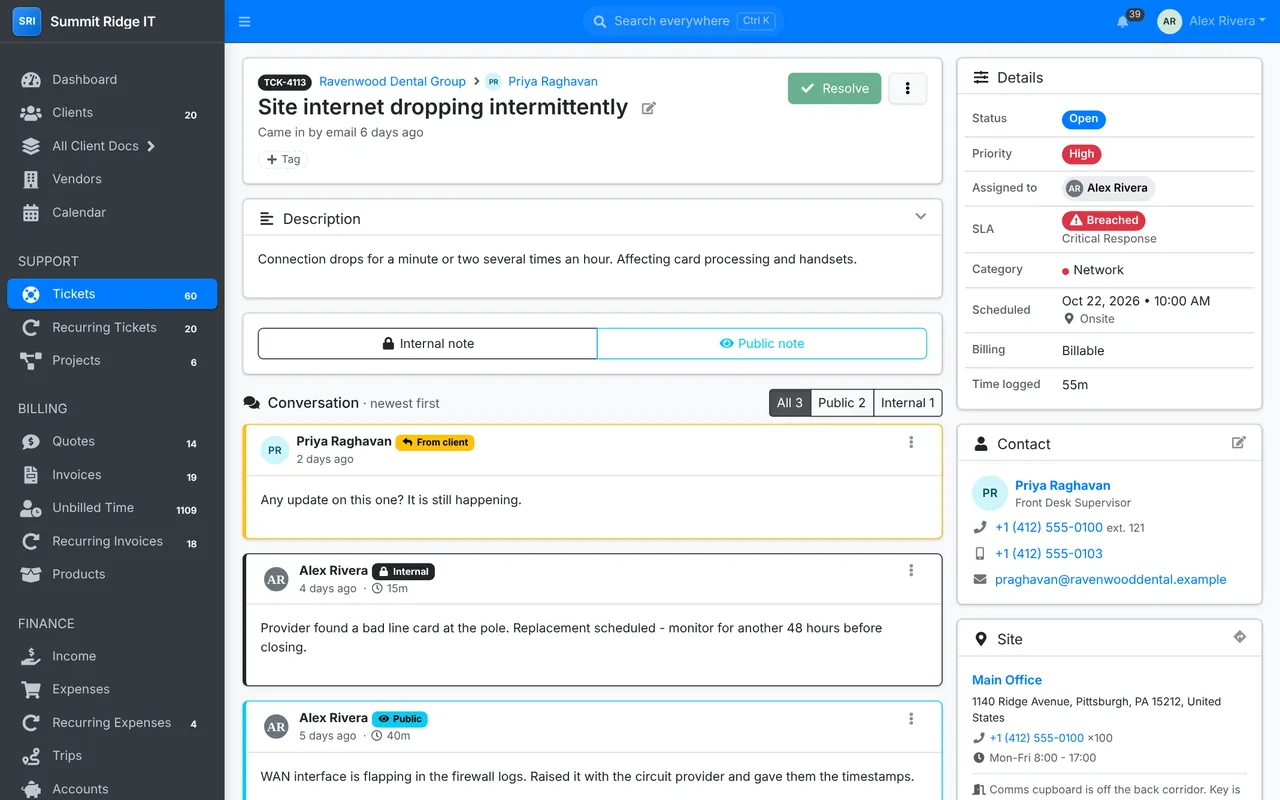
Reply to the client or leave internal notes, log time as you go, and keep the asset, contact and site beside the conversation.
-
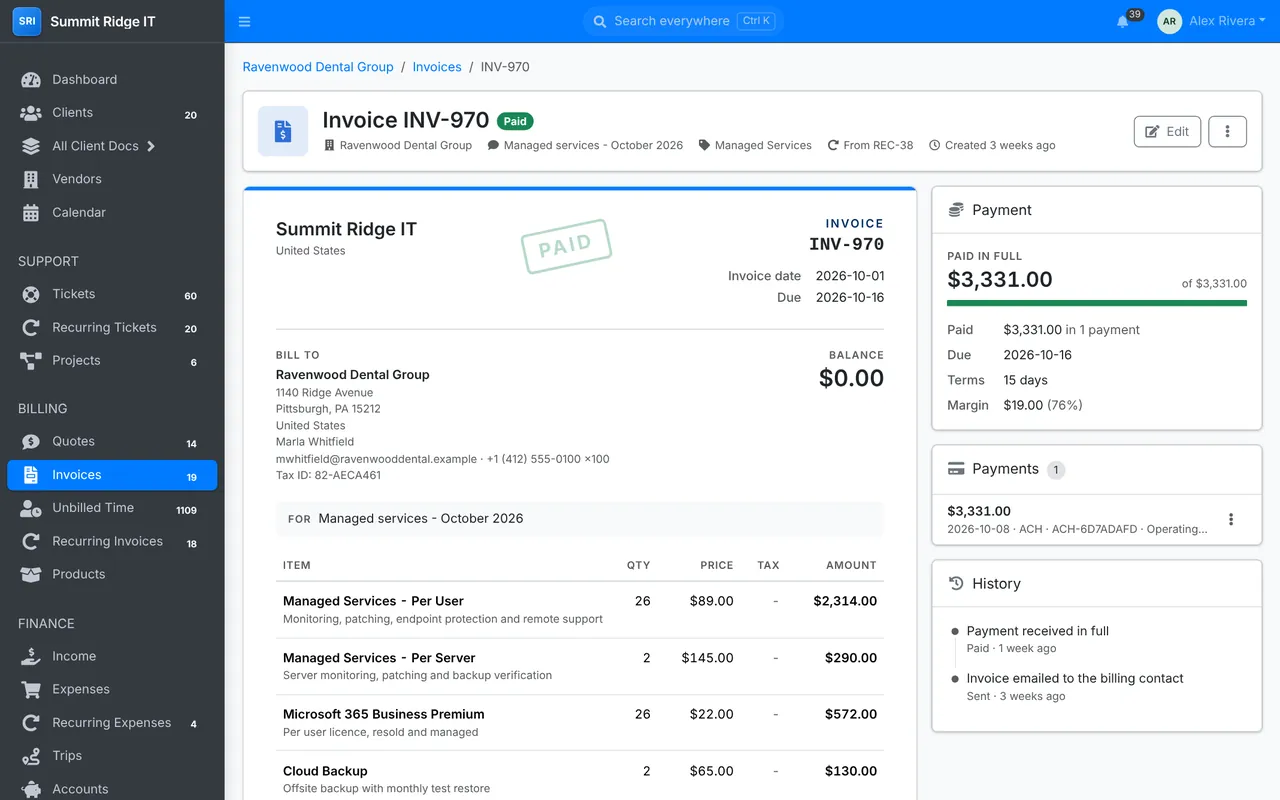
Time, expenses and hardware go onto invoices at the client's rate. Recurring invoices count users and devices for you each month.
-
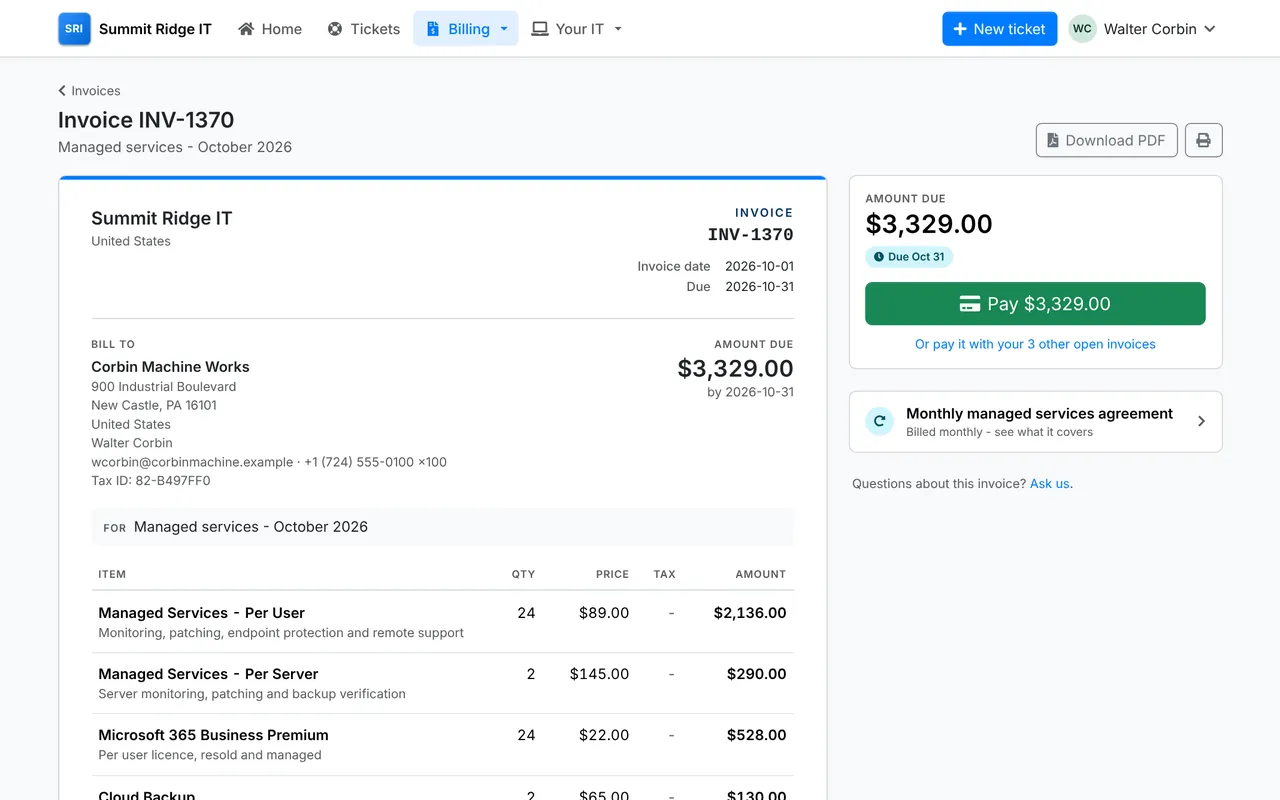
Clients see their tickets, invoices and devices in the portal, pay by card, and can save a card for autopay.
-
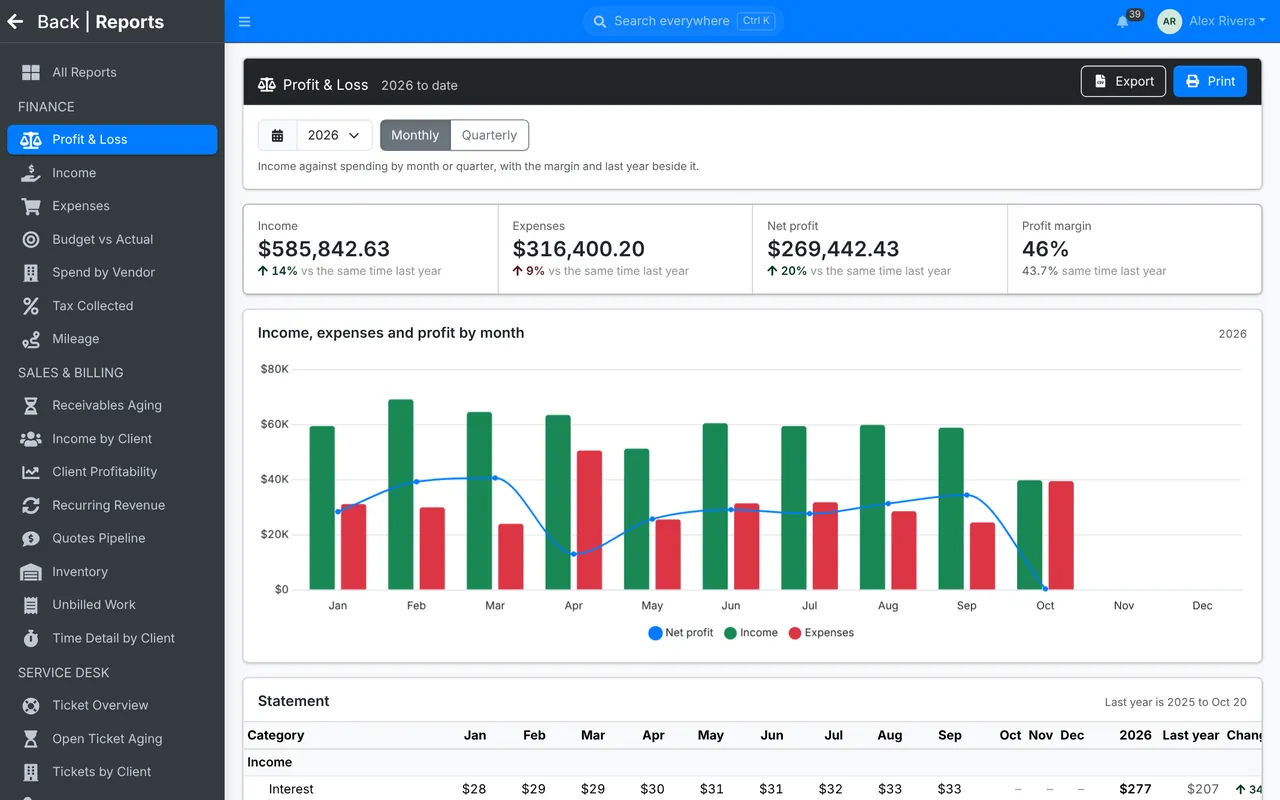
Income, expenses and profit by month, what each client is worth, what is owed and what is still unbilled.


Know every client's setup without asking
ITFlow keeps the documentation your technicians reach for, organized the way an MSP works: by client, linked together.


- Assets with warranties, licenses, network ports and the people who use them
- Networks, IP addresses, racks and switch port maps
- A password vault with 2FA codes, rotation reminders and secure share links
- Domains and certificates, with expiry warnings
- Documents written from templates, with versions
- Software, licenses and services, and the vendors behind them
Everything else an MSP runs on
Ticketing
- Email to ticket, with Microsoft 365 and Google sign-in
- SLAs with business hours and holidays
- Ticket templates, tasks and canned responses
- Recurring tickets for scheduled work
- Projects
- Satisfaction ratings
Billing
- Quotes clients accept online
- Recurring invoices that count users and devices
- Card payments, saved cards and autopay through Stripe
- Reminders, statements and late fees
- Products with stock and reorder levels
- Unbilled time, expenses and mileage
Accounting
- Income and expenses with receipts
- Recurring expenses
- Bank accounts, transfers and reconciliation
- Budgets against actual spending
- Profit and loss, tax collected and aging
- Client profitability and recurring revenue
Client portal
- Tickets, opened and followed by the client
- Invoices, quotes and statements
- Pay online and manage autopay
- Their devices, documents and licenses
- Roles for primary, billing and technical contacts
Your day
- A dashboard of what needs attention
- Calendars with scheduled tickets and maintenance windows
- Calendar feeds for Google, Outlook and Nextcloud
- Search everything with / or Ctrl K
- Notifications
- Light and dark mode
Running it
- Roles and permissions, down to each module
- Two-factor sign-in
- A full REST API
- An audit log of who did what
- Encrypted backups
- Turn off the modules you don't use
AI for the paperwork, with the provider you choose
Bring your own key, or run a model on your own hardware. ITFlow uses it where it saves a technician time, and only for the roles you allow.
Works with
- OpenAI
- Anthropic
- Azure OpenAI
- Google Gemini
- Mistral
- Groq
- OpenRouter
- Ollama
- LM Studio
- Any OpenAI-compatible API
Where it helps
- Draft a reply from your notes, for the client or as an internal note
- Triage new tickets: a category, a priority and why
- Summarize a long ticket and save it as a note
- Write a ticket up as a knowledge base article
- Brief you on a client before a call or a review
- Draft and review documents
- Reword in a different tone, or translate into 30 languages
- Write a quote from a sentence, priced from your catalog


- Passwords and keys are taken out before anything is sent
- A role permission decides who can use AI
- Every request is logged, with its cost in tokens
Three ways to start
Host it yourself
Free
Install on any Linux server with PHP and MariaDB, or run the Docker image. Every feature, as many technicians as you like.
- All of ITFlow, no paid tier
- Your data stays on your server
- Help from the community forum
Hosted ITFlow
$60a month
2 technicians included, then $25 a month for each one after that.
Your own ITFlow, run by the people who build it. We keep it updated and backed up.
- Your own instance, not a shared one
- Nightly backups
- Updates applied for you, security fixes straight away
- Your own domain, or a free itflow.app address
- Unlimited clients and portal contacts
- Help from the ITFlow team
Try the demo
Click around a live ITFlow with sample clients. Nothing to install.
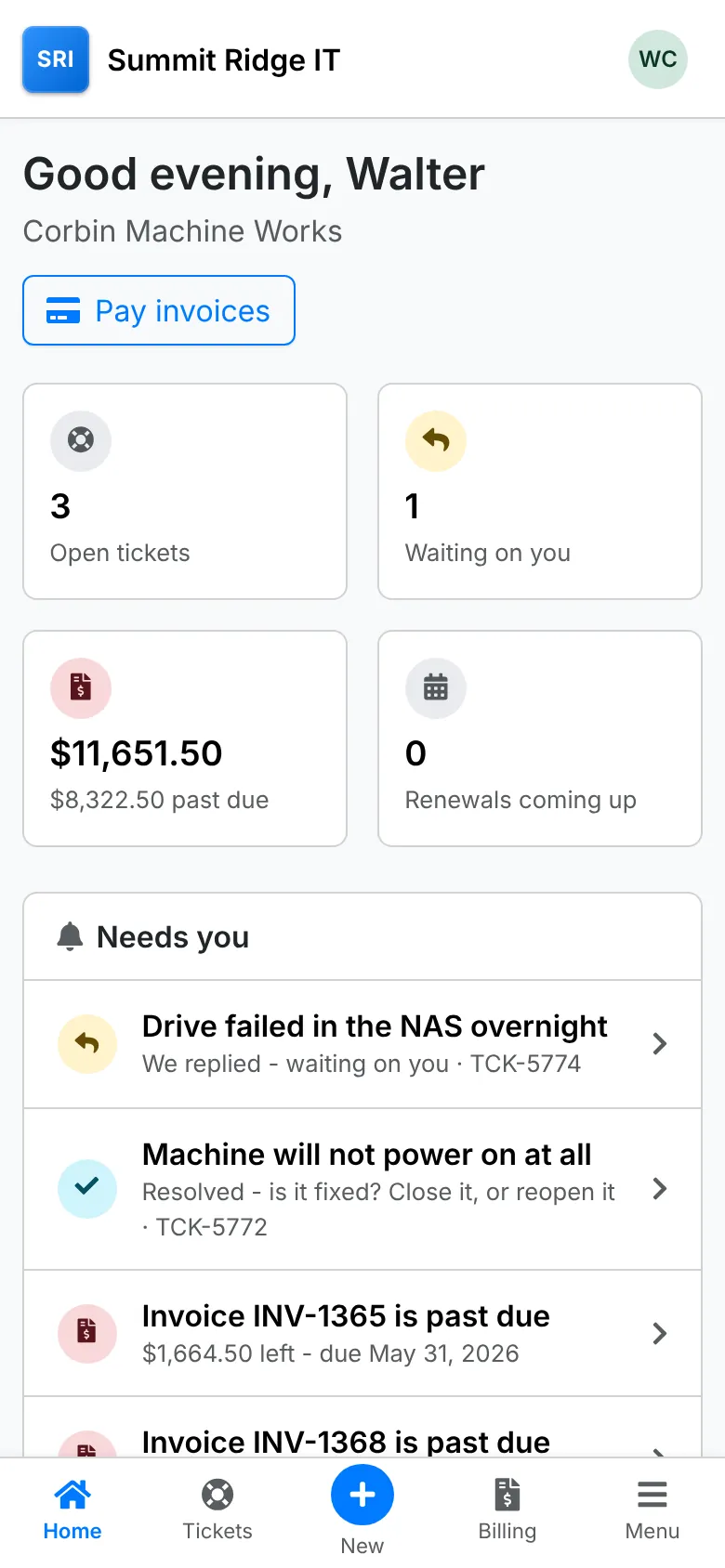

Works on your phone too, for you and for your clients.
Kept free by its sponsors
ITFlow has no paid edition. These companies help pay for its development.
- PittPC
- CompuMatter
- F1 for HELP
Sponsor ITFlow
Back the software your MSP runs on, and put your name in front of the people who use it.
-
Forum User Sponsor
$60a month
- Your name listed as a sponsor on the ITFlow forum
-
GitHub Company Sponsor
$120a month
- Everything in Forum User Sponsor
- Your company in the ITFlow GitHub README
-
Website Company Sponsor
$200a month
- Everything in GitHub Company Sponsor
- Your logo and link on itflow.org
- Your name in the itflow.org footer
-
Name Your Price
$200+a month
- Everything in Website Company Sponsor
- You choose the monthly amount
Built inside a working MSP
ITFlow started as the tool one MSP needed and couldn't find. It is still built by people who use it every day.
-
2018
An open-source MSP
An MSP built on open-source software needs a system to run on, and starts writing ITFlow.
-
March 2019
On GitHub
The code is published for anyone to use, change and improve.
-
May 2021
The team grows
Marcus and Andrei join the development team.
-
April 2023
300 stars
More than 300 stars on GitHub, and work begins toward a stable release.
-
January 2025
Stable releases
ITFlow moves to regular stable releases.